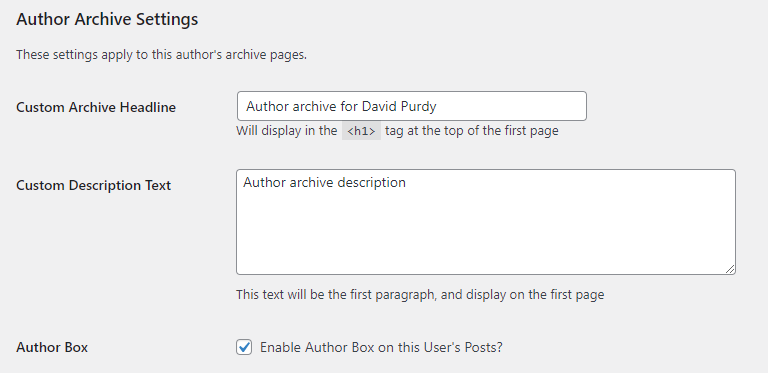
Users have a number of custom fields (added by the KTOO Authors plugin) that enhance how author bios and other information are displayed on the site.
Name fields
In the Name section, there are two specific fields to be aware of:
- Nickname can be any text, not just the restrictive first name/last name pattern
- Display name publicly as will determine how the user’s name shows up on the front end of the site. When used with an Organization (see below for more) the Display name should NOT include an organizational affiliation (or anything besides the person’s name).

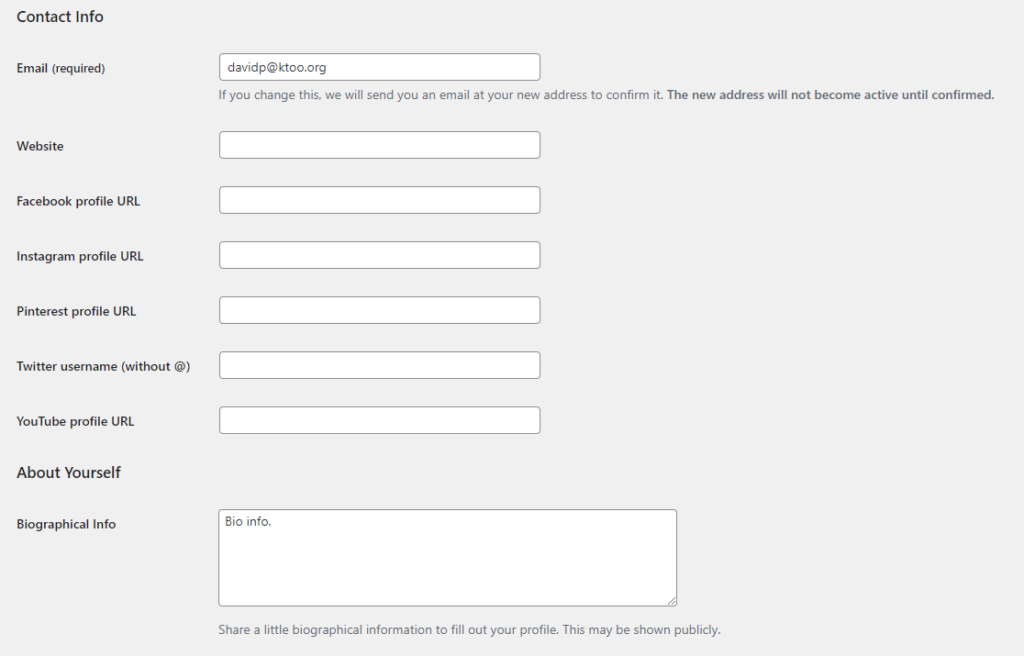
Contact Info
All information here except the email address will be shown publicly. Social profiles will generally be shown as links. Biographical info can be added to the bottom of stories and/or at the top of author story archive pages.
User/author fields
Find the User/Author fields section and fill out the desired fields. These fields add information to a user profile, which can be displayed in places like article footers, archives of author stories, and listings of authors/users.
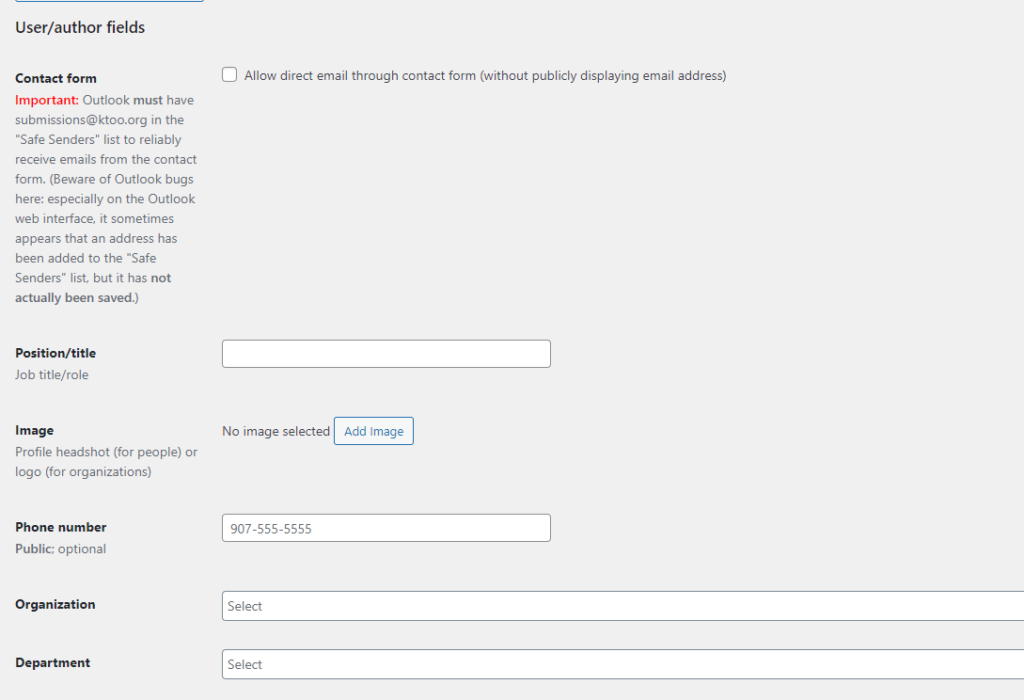
- Contact form – adds the user to the “to” field of a staff contact form (contact form must be set up for this to work)
- Important note: Emails from the site will routinely go to junk mail in Outlook. You
- Position/title – A position or job description added to the author description in bio boxes
- Image – An optional image (e.g., a headshot/portrait for an individual or a logo for an organization)
- Phone number – Will be publicly displayed in listings of users
- Organization – Select an organization, usually a news organization like KTOO or Alaska’s Energy Desk (instructions to add/edit organizations)
- Department – A department within a news organization, such as “News” or “Arts & Culture” (instructions to add/edit organizations)
Author Archive fields
- Custom Archive Headline will override the user’s name at the top of their post archive page
- Custom Description Text will override the Biographical Info (from above) on the author’s post archive page only (it will leave the Biographical Info at the bottom of posts)
- Author Box – when checked, this will show a detail box with the author’s name and any photo, bio, social links, etc. at the bottom of posts where they have been set as the author.