
KTOO and 360 North use the Gravity Forms plugin to create forms.
Please be careful when editing a form someone else has created – you could lose their data! (Ask KTOO digital services for help if you’re not sure).
Important: We have a convention of form notifications being sent from submissions@ktoo.org – please add that address to the Outlook “safe senders” list to prevent notifications from going to spam.
Editing a form
Gravity Forms are created and edited separately from where they are used/embedded in a site.
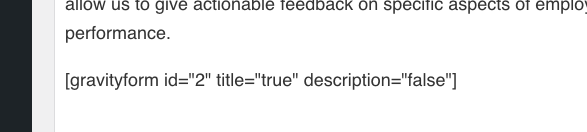
Forms look something like this where they’re used/embedded in a page:

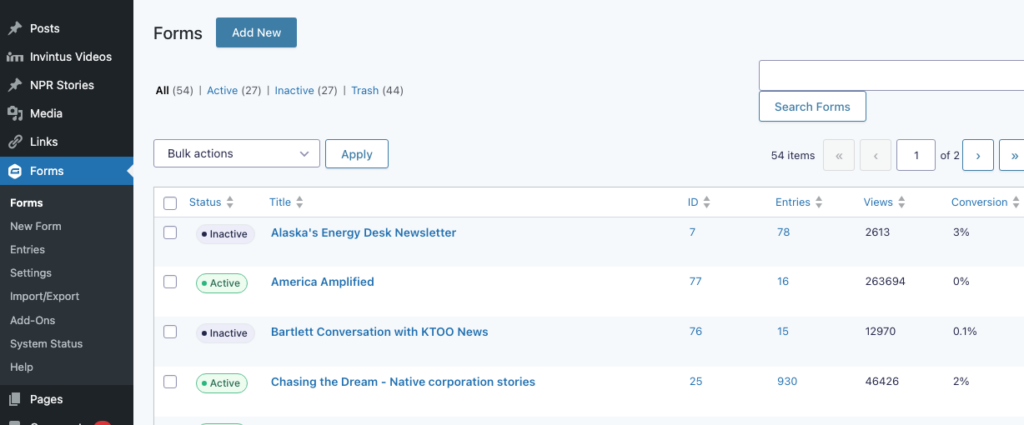
To actually edit a form, click “Forms” in the left hand WordPress menu and find the form you want to edit in the list.
Note: If a form was embedded using a block, you can jump straight to editing it by clicking the pencil icon the menu that appears above it when you select the block:

Using forms
Here are some helpful pieces of documentation provided by the developer:
- Creating a form
- Form editor
- Form fields that are available
- Embedding a form (i.e., using the form in a post or page)
- Entries (information people have submitted to the form)
- Notifications (sends an email when someone submits the form)
- All notifications from the web site should have submissions@ktoo.org as their “from” address. Be sure to add that address to your Safe Senders list in Outlook to make sure you receive notifications properly.