
There’s a basic web interface that you can use to select which titles from the database should be available in XPression. (Because there are over 6,000 records in the database, which might be hard to manage in XPression itself).
It takes a little manual synchronization to get everything set up.
Create a group for titles that will pull from web data
Give it a take ID with enough numbers after it – to automatically populate, the titles in this group must be sequentially numbered starting from the group’s take ID.

Drag the “Lower title” scene into the group as usual
Give the first title in the group a take ID one greater than the take ID of the group.

Each title’s “slot” from the web interface will be that title’s take ID in sequence view minus the take ID of the group it’s in.
- Example: if the “dynamic titles” group has a take ID of 1000 and the first title in that group has a take ID of 1001, it will automatically pull from slot 1 (1001 – 1000).
Turn off the “Static lower third text”
Uncheck its “visible” option in the “Template Data” tab of the Take Inspector

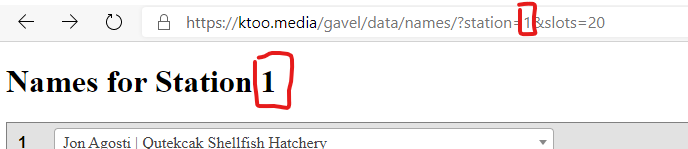
Match the “station” field to the web interface
In the title’s “template data” tab, set the station value to match the number in the web interface that will be used with this titling station.

Duplicate the title
Duplicate the title in the sequence view as many times as you want (should probably match the “slots” querystring parameter in the URL so there’s a one-to-one relationship).